1. Киришүү
Thank you for choosing the pTron KWM-2 Type C Wireless Microphone System. This manual provides detailed instructions for setting up, operating, and maintaining your new wireless microphone system. Please read this manual carefully before use to ensure optimal performance and longevity of your device.
The pTron KWM-2 offers stable 2.4GHz wireless transmission, DSP noise cancellation, and a long battery life, making it ideal for vlogging, interviews, streaming, and online meetings.

Image 1: The pTron KWM-2 Wireless Microphone System, including two microphones, a Type-C receiver, and a portable charging case.
2. Пакеттин мазмуну
Пакетиңизде бардык буюмдар бар экенин текшериңиз:
- 2 x Wireless Microphones (Transmitters)
- 1 x Type-C кабылдагыч
- 1 x Portable заряддоо кутусу
- 1 x USB Type-C заряддоо кабели
- 2 x Furry Wind Muff Filters
3. Орнотуу колдонмосу
3.1 Аппаратты заряддоо
Before first use, fully charge the microphones and the charging case.
- Place the microphones into their respective slots in the charging case.
- Connect the provided USB Type-C charging cable to the charging port on the case and to a standard USB power adapter (not included).
- The LED indicator on the charging case will show charging status. A full charge provides up to 48 hours of recording time with the case.

Image 2: The pTron KWM-2 charging case with microphones, highlighting the 48 hours of recording time available with the case.
3.2 Кабыл алгычты туташтыруу
The KWM-2 features a plug-and-play design for easy connection.
- Identify the Type-C receiver.
- Plug the Type-C receiver directly into the Type-C port of your smartphone, tablet, or other compatible recording device.
- The receiver's indicator light will illuminate, indicating it is powered on and ready to pair.
3.3 Микрофондорду жупташтыруу
The microphones and receiver are designed to pair automatically.
- Once the receiver is connected to your device, take the microphones out of the charging case.
- The microphones will automatically power on and attempt to connect to the receiver.
- A solid indicator light on both the microphone and receiver signifies a successful connection.

3-сүрөт: Визуалдык көрүнүшview of the pTron KWM-2's key features, including its compact size, reverberation mode, collar clip design, plug-and-play functionality, dual charging options, and Type-C charging port.
4. Иштөө нускамалары
4.1 Күйгүзүү/өчүрүү
- Күйгүзүү: The microphones power on automatically when removed from the charging case.
- Өчүрүү: Place the microphones back into the charging case to power them off and begin charging.
4.2 Ызы-чууну жокко чыгарууну колдонуу
The KWM-2 features DSP (Digital Signal Processing) noise cancellation technology to reduce ambient background noise.
- This feature is typically active by default, optimizing audio clarity.
- For best results, ensure the microphone is positioned correctly, close to the sound source.
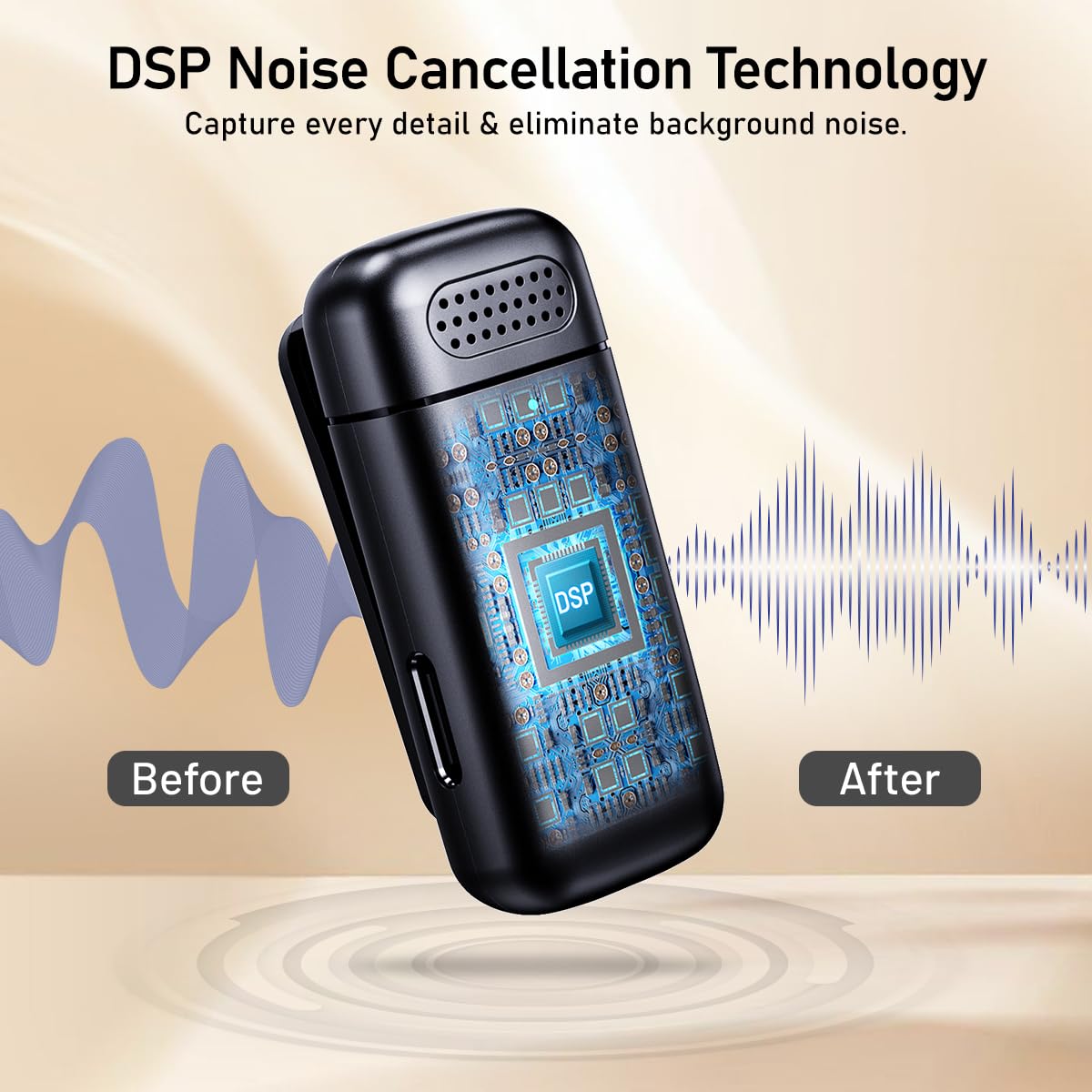
Image 4: The pTron KWM-2 microphone showcasing its DSP Noise Cancellation Technology, with visual representations of sound waves before and after noise reduction.
4.3 Reverberation Mode
The microphone includes a reverberation mode for adding an echo effect to your audio. Refer to the device's specific button functions for activation. (Specific button details are not provided in the source data, please refer to product packaging or quick start guide for exact button press sequence).
4.4 Attaching the Furry Wind Muff Filters
For outdoor recording or in windy conditions, attach the included furry wind muff filters to the microphones to minimize wind noise and improve audio quality.

Image 5: A woman taking a selfie while wearing the pTron KWM-2 microphone, demonstrating how the furry mic filter helps to reduce wind and environmental noise for clear audio.
4.5 Recording with Phone Charging
The Type-C receiver allows you to charge your connected device (smartphone/tablet) while recording, ensuring uninterrupted sessions.
- Connect a Type-C charging cable to the charging port on the receiver.
- Заряддоо кабелинин экинчи учун кубат булагына туташтырыңыз.

Image 6: The pTron KWM-2 Type-C receiver connected to a smartphone, illustrating the capability to charge the phone simultaneously while recording audio.
4.6 Зымсыз байланыш диапазону
The KWM-2 system provides a seamless wireless range of 20 to 25 meters, offering flexibility for various recording scenarios.

Image 7: A couple walking outdoors, with a smartphone recording using the pTron KWM-2 microphone system, illustrating the effective 20 to 25-meter wireless transmission range.
5. Техникалык тейлөө
5.1 Тазалоо
- Wipe the microphones and charging case with a soft, dry cloth.
- Катуу химиялык заттарды же абразивдүү тазалоочу каражаттарды колдонбоңуз.
- Кубаттоо портторунун чаңдан жана таштандылардан тазаланганын текшериңиз.
5.2 Сактоо
- Аппаратты түз күн нурунан жана экстремалдык температурадан алыс салкын, кургак жерде сактаңыз.
- Keep the microphones in the charging case when not in use to protect them and maintain battery life.
5.3 Батареяга кам көрүү
- Charge the device regularly, even if not in frequent use, to prolong battery lifespan.
- Батареяларды узак убакыт бою толугу менен зарядсыздандырбаңыз.
6. Кыйынчылыктарды
If you encounter issues with your pTron KWM-2, please refer to the following common solutions:
| Көйгөй | Мүмкүн чечим |
|---|---|
| Үн чыгышы жок |
|
| Үн сапаты начар / Ашыкча ызы-чуу |
|
| Microphones not pairing |
|
| Заряддоо маселелери |
|
7. Техникалык шарттар
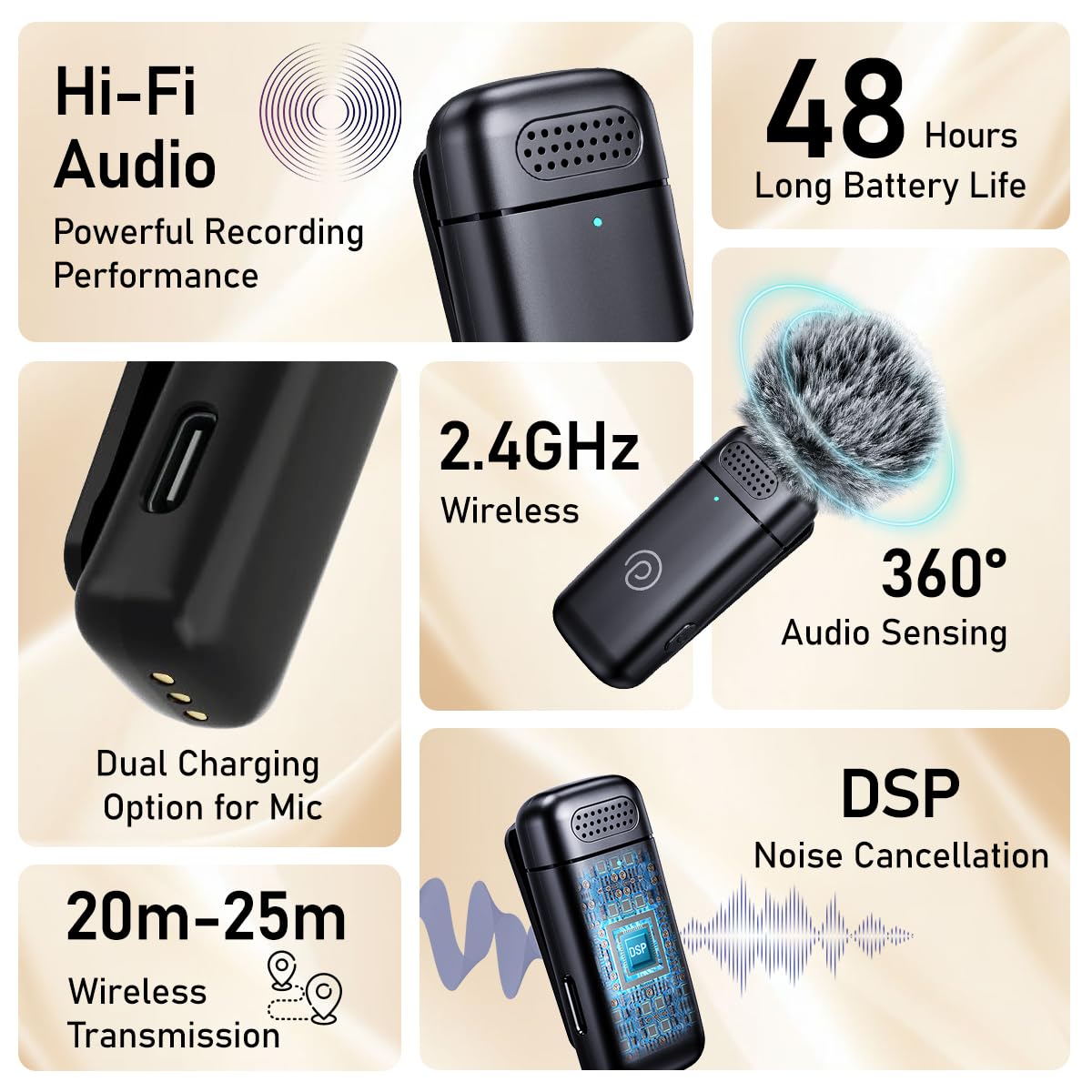
Image 8: An infographic detailing the pTron KWM-2's core features, including high-fidelity audio, 48-hour battery life, 2.4GHz wireless technology, 360-degree audio sensing, dual charging, 20-25 meter wireless range, and DSP noise cancellation.
| Өзгөчөлүк | Деталь |
|---|---|
| Модель аты | KWM-2 |
| Байланыш технологиясы | RF (2.4GHz Wireless) |
| Туташтыргыч түрү | USB Type-C |
| Шайкеш түзмөктөр | Смартфон, Планшет |
| Микрофон форма фактору | Lavalier (Collar Clip) |
| Полярдык үлгү | Omnidirectional (360° Audio Sensing) |
| Өзгөчөлүктөр | Battery Indicator Light, Clip, DSP Noise Reduction, Reverberation Mode |
| Зымсыз диапазон | 20-25 метр |
| Батареянын иштөө мөөнөтү (заряддоо кутусу менен) | 48 саатка чейин |
| Power Source | Батарея менен иштейт (литий полимери) |
| Камтылган компоненттер | 2N Microphones, 1N Receiver, 1N Charging Case, 1N Charging Cable, 2N Filters |
| Элемент Салмагы | 77 грамм |
| Продукциянын өлчөмдөрү (LxWxH) | 8.6 x 6.2 x 2.9 сантиметр |
| Материал | Acrylonitrile бутадиен Styrene |
| Түс | Jet Black |
8. Кепилдик маалыматы
The pTron KWM-2 Wireless Microphone System comes with a 1 жылдык өндүрүүчү кепилдик. This warranty covers manufacturing defects only. Please retain your purchase receipt as proof of purchase for warranty claims.
The warranty does not cover damages resulting from misuse, accidents, unauthorized modifications, or normal wear and tear.
9. Кардарларды колдоо кызматы
Суроолоруңуз, техникалык жардамыңыз же кепилдик боюнча дооматтарыңыз болсо, pTron кардарларды колдоо кызматына кайрылыңыз:
- Телефон: 040-67138888
- Электрондук почта: support@ptron.in
Manufacturer Address: PALRED ELECTRONICS PVT. LTD., SY.NO. 56, 1ST FLOOR, GUNDLAPOCHAMPALLY VILLAGE, TECH PARK MTP, TSIIC-IALA NACHARAM, HYDERABAD - 500076, TELANGANA, INDIA.


