📘 Harvest manuals • Free online PDFs
Оруу логотиби

Түшүм жыйноо боюнча колдонмолор жана колдонуучулар үчүн колдонмолор

Harvest Technology provides advanced, ultra-low bandwidth video and secure data streaming solutions for remote industrial operations.

Кеңеш: эң жакшы дал келүү үчүн Harvest этикеткаңызга басылган толук моделдин номерин кошуңуз.

About Harvest manuals on Manuals.plus

Harvest Technology specializes in delivering high-definition video and secure data over low-quality and constrained networks. Their proprietary protocols and unique devices, such as the Nodestream media interfaces and RiS encoders and decoders, enable real-time, zero-latency streaming. This robust technology is crucial for remote industrial environments, enabling key personnel to reliably monitor, assist, and communicate with frontline team members anywhere in the world, regardless of network conditions.

Түшүм жыйноо боюнча колдонмолор

Акыркы колдонмолор manuals+ бул бренд үчүн түзүлгөн.

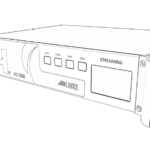
HARVEST HTG-TEC-GUI-015 NQER Media Encoder User Manual

2-декабрь, 2022-жыл
HARVEST HTG-TEC-GUI-015 NQER Media Encoder Please read these instructions carefully before using this product Information for your safety The device should only be serviced and maintained by qualified service personnel.…

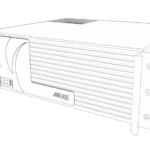
Harvest Radiant Installation Manual

орнотуу боюнча колдонмо
Installation and setup guide for the Harvest Radiant heating system, including SANCO2 heat pump integration, plumbing diagrams, wiring instructions, and troubleshooting.

Harvest manuals from online retailers

The RBG Workout: Illustrated Fitness Manual by Bryant Johnson

1328919129 • 26-декабрь, 2025-жыл
This illustrated fitness manual details Justice Ruth Bader Ginsburg's workout routine, developed by her personal trainer, Bryant Johnson. It includes exercises like planks, squats, and push-ups, designed to…

Даам матрицасы: өзгөчө тамактарды жасоо үчүн кеңири таралган ингредиенттерди айкалыштыруунун искусствосу жана илими - Колдонуучунун колдонмосу

0544809963 • 23-июнь, 2025-жыл
A revolutionary guide to ingredient pairing, 'The Flavor Matrix' by James Briscione and Brooke Parkhurst explores the scientific basis of flavor to unlock new culinary possibilities. This manual…

Harvest support FAQ

Колдонмолор, каттоо жана бул брендди колдоо жөнүндө жалпы суроолор.

  • How do I configure my Harvest RiS Media Encoder?

    Connect the device to your LAN via the Ethernet port, power it on, and navigate to its IP address via a web browser. The device defaults to DHCP and can be located using an IP scanning tool.

  • What network port settings are required for Harvest Nodestream devices?

    Nodestream devices require specific firewall settings to communicate over a closed network. Ensure UDP ports 2100 to 2200, UDP 2025/2026, and TCP 2020 are open on your firewall.

  • What is the default login for the Harvest Media Encoder?

    The default login is username 'admin' and password 'admin'. You will be prompted to change this password when you first log into the configuration UI.

  • How do I perform a factory reset on my Harvest media interface?

    You can reset to factory defaults via the Web UI under the System Settings tab, or depending on the model, by holding the physical reset button as instructed in the user manual.